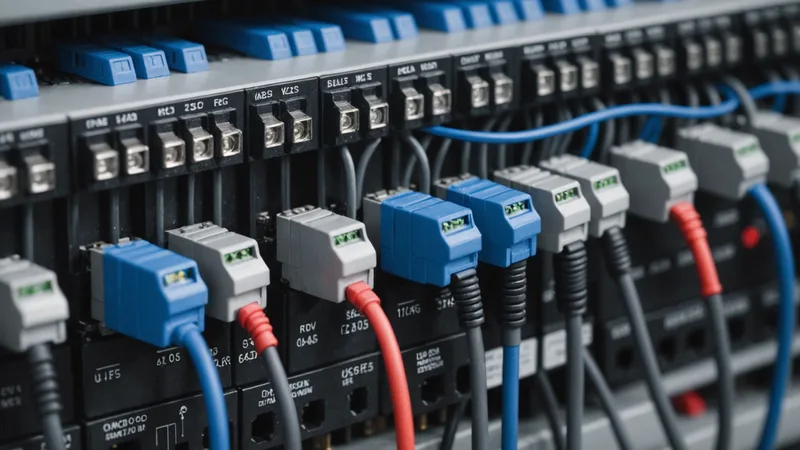
Integrating a commercial BESS (Battery Energy Storage System) with a dispatch controller is where most BESS projects run into trouble. The hardware works fine. The energy market strategy is defined. Then the integration phase starts and you discover that the inverter's Modbus documentation is missing register 40112, the RS-485 termination resistor placement is wrong, or the SOC value the inverter reports is scaled differently than the BMS actually measures it. Two weeks of field debugging later, you've lost the installation window and the customer's confidence.
At encosa we've integrated with Modbus-based BESS systems from a range of inverter manufacturers at commercial facilities in Bavaria and Baden-Württemberg. This post documents what we've learned about register maps, encoding pitfalls, and how to validate that your dispatch latency is actually within bounds for market participation. This is not an exhaustive Modbus protocol reference — it assumes you already know what function codes are. It is a field guide to the gotchas.
Modbus TCP vs RS-485: Which to Use
Commercial inverters offer Modbus over two physical layers:
- Modbus RTU over RS-485: Serial, multi-drop bus, typically 9600–115200 baud, up to 32 devices per segment, 1200m cable run at lower baud rates. Half-duplex. Common on older and mid-range inverter lines (SMA Sunny Island, KACO blueplanet series up to ~2021).
- Modbus TCP over Ethernet: TCP/IP encapsulation, standard RJ-45, uses the inverter's LAN port. Full-duplex, faster, simpler cabling. Standard on inverters from ~2019 onwards (Fronius Tauro, ABB REACT-UNO, newer KACO NX and SX series).
For new installations, always use Modbus TCP when the inverter supports it. The latency is lower and more predictable (typically 5–20 ms round-trip on a clean LAN, versus 50–200 ms for RS-485 at 9600 baud), and you avoid RS-485 bus contention issues when multiple masters are present. The only reason to use RS-485 is when the inverter doesn't support Modbus TCP — still common on equipment installed before 2019.
For RS-485, a few hard rules that experience has made obvious:
- Terminate both ends of the bus with 120 Ω resistors. Inverter manuals often show termination only at one end. Bus reflections at high baud rates will cause intermittent CRC errors that look like transient faults.
- Use shielded twisted pair (STP) cable. Industrial BESS environments have significant EMI from the inverter's own switching frequency. Unshielded cable picks this up as noise on the RS-485 differential signal.
- Connect shield drain wire at one end only (the controller side). Connecting at both ends creates a ground loop.
- Baud rate: 19200 is a good default for commercial inverters. 9600 is stable but slow for frequent polling; 115200 is supported by some hardware but prone to timing errors on longer cable runs.
Register Map Fundamentals
Modbus register maps for BESS inverters are not standardized. SunSpec Alliance publishes a standard register map that some inverter vendors implement (partially), but vendor-specific extensions are everywhere and the SunSpec implementation quality varies significantly. Always treat the inverter's own Modbus register documentation as authoritative — do not assume SunSpec compliance.
The registers you need for BESS dispatch control fall into three categories:
Read-only status registers
- SOC (State of Charge) — typically holding register, 0–100% scaled as integer (0–100) or fixed-point (0–10000 = 0.00–100.00%)
- AC active power — watts or kW, signed (positive = export, negative = import), often 32-bit float across two registers
- DC battery voltage
- DC battery current (signed)
- Operating mode / status code
- Alarm / fault bitmap
Read/write control registers
- Active power setpoint — signed watts or kW (positive = discharge, negative = charge on most but not all inverters — verify polarity)
- Operating mode setpoint — switch between self-consumption mode, manual control mode, FCR mode (if inverter has native FCR firmware)
- SOC limits (minimum and maximum discharge/charge SOC, if configurable via Modbus)
Configuration registers (write once at commissioning)
- Rated power scaling factor
- Maximum charge/discharge current limits
- Grid protection settings (typically locked and not Modbus-writable)
A typical register polling sequence for a dispatch controller reading status every 1 second and writing setpoints every 15 seconds:
import pymodbus.client as ModbusClient
import struct

# Modbus TCP connection
client = ModbusClient.ModbusTcpClient('192.168.1.100', port=502)
client.connect()

# Read holding registers: SOC at 40001, AC power at 40003 (32-bit float = 2 registers)
soc_result = client.read_holding_registers(address=0, count=1, slave=1)
soc_percent = soc_result.registers[0] / 100.0  # If scaled as 0-10000

power_result = client.read_holding_registers(address=2, count=2, slave=1)
raw_bytes = struct.pack('>HH', power_result.registers[0], power_result.registers[1])
ac_power_kw = struct.unpack('>f', raw_bytes)[0]  # Big-endian float

# Write power setpoint: +50 kW discharge = 50000 W
# Check polarity: some inverters use negative for discharge
setpoint_kw = 50.0
setpoint_raw = int(setpoint_kw * 1000)  # If register expects watts as int32
client.write_registers(address=100, values=[setpoint_raw >> 16, setpoint_raw & 0xFFFF], slave=1)
The actual register addresses above are illustrative — your inverter's documentation will have the real offsets. The code pattern is what matters: always verify register data types (int16, uint16, int32, float32), scaling factors, and word order (big-endian vs little-endian for multi-register values) before you write any setpoints.
Setpoint Encoding Patterns
The most common source of integration errors is setpoint encoding mismatch. Three patterns we encounter repeatedly:
Polarity reversal
About 40% of the inverters we've worked with use the convention that positive power setpoint = charge and negative = discharge. The remaining 60% use positive = discharge, negative = charge. There is no universal convention. If you get polarity wrong, your dispatch controller will charge the battery when it should discharge and vice versa. This is immediately apparent in testing but catastrophic if missed in production — during a peak shaving event, the battery would increase grid demand instead of reducing it.
Test procedure: put the inverter in manual control mode, send a small positive setpoint (e.g., +2 kW), watch the AC power meter. If grid draw increases, positive = charge. If it decreases (or grid export appears), positive = discharge.
Percentage vs. absolute power
Some inverters accept the power setpoint as a percentage of rated power (0–100% or 0–10000), not an absolute watt or kW value. This creates a subtle bug: if rated power is 100 kW and you send 50 (intending 50 W from an absolute encoding), the inverter interprets it as 50% of 100 kW = 50 kW. Your system runs at 1000× the intended power. Always verify whether the setpoint register expects absolute power (W or kW) or percentage of rated capacity.
Mode activation
Most inverters do not accept external setpoints while in their default auto-management or self-consumption mode. You must explicitly write to a mode register to switch the inverter into "remote control" or "external setpoint" mode before setpoints take effect. Missing this step causes setpoints to be silently ignored. Some inverter platforms require mode activation to be refreshed periodically (heartbeat register) — if your controller crashes and stops refreshing, the inverter reverts to default mode. This is a safety feature, but it means your integration must implement the heartbeat reliably.
Common Inverter-Specific Pitfalls
Beyond generic Modbus issues, specific platforms have idiosyncratic behaviors:
SMA Sunny Island / Sunny Boy Storage
SMA's older Modbus implementation uses Speedwire/Modbus hybrid on some models. The register addresses in the English-language documentation sometimes differ from the German-language documentation — use the German doc as the reference for installations intended for German TSO prequalification. SOC reporting on older firmware versions has a ±3% calibration error that drifts over the battery's lifetime and requires BMS-level recalibration annually.
Fronius Tauro / Symo GEN24
The Fronius SunSpec implementation is one of the more complete ones we've seen. The main pitfall is the Modbus TCP port: some firmware versions use port 502 (standard), others use port 502 with a non-standard slave ID (default slave ID 1 on the inverter, but can be reconfigured). If you have multiple Fronius devices on the same network, verify slave IDs carefully. The Fronius Solar API (REST, port 80) is an alternative to Modbus for status reads and is often more reliable for monitoring, but it has higher latency (~100–500 ms) and is not suitable for low-latency setpoint writes.
KACO blueplanet NX / SX series
KACO's register map has several 32-bit values split across non-consecutive register pairs. This is unusual and breaks naive sequential-read code that assumes multi-register values are stored in adjacent addresses. Read the register map carefully and use individual reads for each 32-bit value rather than block reads when starting a new KACO integration. Also: KACO's FCR firmware (if installed) uses a dedicated register block that overlaps with the standard control registers — switching between FCR mode and external setpoint mode requires careful register sequencing to avoid transient faults.
Dispatch Latency Validation
For market participation (especially FCR and peak shaving), you need to know your end-to-end dispatch latency: the time from when your controller issues a setpoint to when the AC power meter registers the commanded power change. This latency must be understood and budgeted into your control logic — particularly for peak shaving, where you're projecting rolling 15-minute averages and need to account for how quickly the battery actually responds.
Measure latency in four segments:
- Controller to inverter (Modbus write latency): Time from write_registers() call to TCP acknowledgment. Typically 5–20 ms for Modbus TCP, 50–150 ms for RS-485 at 9600 baud.
- Inverter processing delay: Time from Modbus write to when the inverter's power electronics begin ramping. Varies by manufacturer and firmware: typically 50–500 ms. Fronius is typically 80–150 ms; KACO can be 200–400 ms; SMA older hardware up to 500 ms.
- Ramp time: Time for the inverter to reach commanded power from idle. At full C-rate from standby, LFP inverters typically ramp in 100–300 ms. Some inverters impose a configurable ramp rate limit (kW/s) for grid protection — if set conservatively (e.g., 10 kW/s for a 100 kW system), this adds 10 seconds of ramp time.
- Meter reporting delay: Time from actual power change to the meter's reading being available to your controller. For smart meters with 1-second resolution, this is up to 1 second of additional observation delay.
A validation script to measure inverter response time:
import time
import pymodbus.client as ModbusClient

client = ModbusClient.ModbusTcpClient('192.168.1.100', port=502)
client.connect()

# Measure time from setpoint write to power register reflecting new value
def measure_response_latency(setpoint_kw, tolerance_kw=2.0):
    t_write = time.monotonic()
    write_setpoint(client, setpoint_kw)

    while True:
        current_power = read_ac_power(client)
        if abs(current_power - setpoint_kw) < tolerance_kw:
            t_respond = time.monotonic()
            return (t_respond - t_write) * 1000  # ms

latencies = [measure_response_latency(50.0) for _ in range(20)]
print(f"Mean: {sum(latencies)/len(latencies):.0f} ms, Max: {max(latencies):.0f} ms")
Run this test at commissioning and add the 95th-percentile latency to your peak shaving safety margin. If measured latency is 800 ms end-to-end, your rolling average calculation should project 1.5 seconds into the future before dispatching — not 0 seconds — to ensure the battery is actually delivering power before the interval average is affected.
We're not saying that slow latency makes a BESS unsuitable for market participation — it means you need to tune your control parameters to match your actual hardware. A 500 ms dispatch latency is completely fine for peak shaving (15-minute intervals). It becomes relevant for FCR only if your SOC management forces frequent full-range ramps; normal FCR operation involves small incremental power changes where ramp time is not the binding constraint.
Production Integration Checklist
Before declaring a BESS integration production-ready for market participation:
- Polarity verified: positive setpoint = discharge confirmed by measurement
- Setpoint encoding verified: absolute watts/kW, not percentage of rated
- Mode activation implemented: external control mode engaged and heartbeat running
- SOC scaling verified: inverter register value matches BMS display reading
- SOC limits tested: battery correctly limits response at min/max SOC boundaries
- Fault register monitoring implemented: alarm bitmap polled on every cycle
- Graceful degradation implemented: if Modbus connection drops, fallback to safe state (zero setpoint)
- End-to-end latency measured: 95th-percentile latency documented and built into control logic
- SOC rebalancing tested: after 50+ cycles of FCR simulation, SOC tracking accuracy verified
- Modbus TCP keepalive configured: TCP connections from Python's pymodbus or similar libraries can silently drop after 30–60 minutes of inactivity without keepalive enabled
The last point catches more production incidents than the others combined. A dispatch controller that polled the inverter every second in development looks stable. In production on a quiet weekend night, the TCP connection drops after 45 minutes of no command writes, the poll silently fails, and the controller has no valid SOC reading when Monday morning peak demand arrives. Set TCP keepalive to 30 seconds and implement an explicit reconnect-on-failure path with alarming.